Back to Asset Essentials Main Menu
Completed On Time vs. Late Summary Report
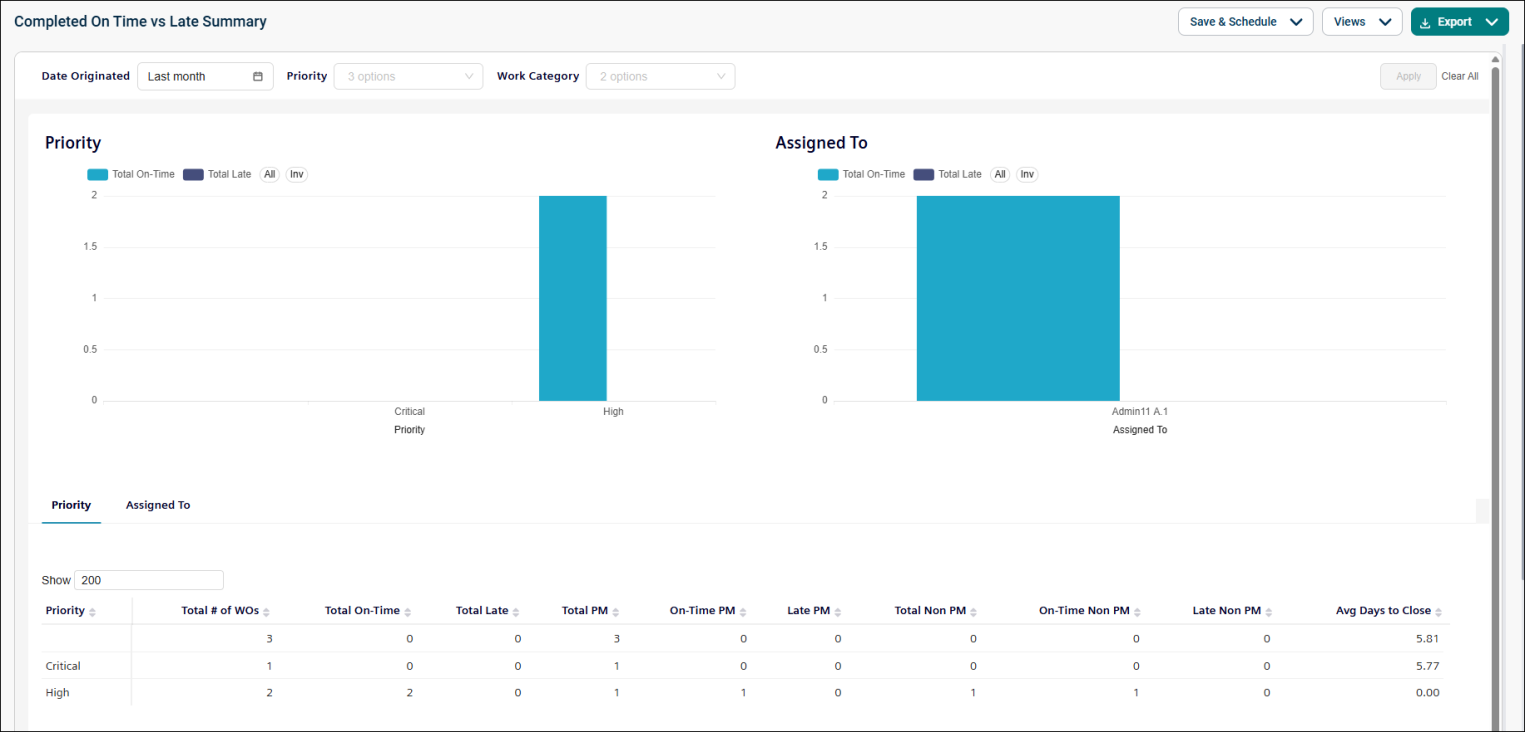
The Completed On Time vs. Late Summary report provides insights into how effectively work orders are completed within their expected timeframes. It compares on-time and late completions to help identify performance trends and improvement opportunities.
Use this report to:
-
Evaluate work order completion performance.
-
Compare on-time and late completions.
-
Identify delays by priority, category, or location.
-
Support operational improvement initiatives.
Getting Started
Filters
|
Filter |
What It Does |
Default |
|
Date Originated |
Filters work orders within a selected date range. NOTE Refer to Limitations article for date selection. |
Last Month |
|
Priority |
Filters work orders by priority level (Critical, High, or Blank). |
All |
|
Work Category |
Filters by work category. |
All |
|
View Table by |
Filters by assignee or priority. |
Assigned To |
Report Structure
This dashboard-style report includes KPIs, charts, and tables that compare on-time and late work order completions. Only completed work orders are included in the report.
Fields
|
Field |
Description |
|
Assigned To |
Shows the user, technician, or team assigned to the work order. |
|
Total # of WOs |
Displays the total number of completed work orders associated with the selected grouping (assigned user, team, site, or category). |
|
Total On-Time |
Shows the total number of work orders completed on or before the expected date. |
|
Total Late |
Displays the total number of work orders completed after the expected date. |
|
Total PM |
Shows the total number of completed preventive maintenance (PM) work orders. |
|
On-Time PM |
Displays the number of preventive maintenance work orders completed on or before the expected date. |
|
Late PM |
Shows the number of preventive maintenance work orders completed after the expected date. |
|
Total Non PM |
Displays the total number of completed non-preventive maintenance work orders. |
|
On-Time Non PM |
Shows the number of non-preventive maintenance work orders completed on or before the expected date. |
|
Avg Days to Close |
Displays the average number of days required to complete work orders from creation to completion. |
|
Priority |
Indicates the priority level assigned to the work order (Critical, High, Medium, or Low). |
Common Tasks
-
Review on-time completion performance.
-
Identify late work orders by priority or assignee.
-
Compare performance across teams and sites.
-
Analyze delays and improvement opportunities.
